2.2 COMPUTER CARE AND SAFETY
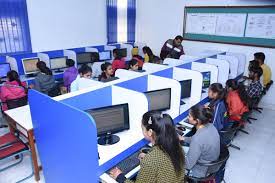
1. THE COMPUTER LABORATORY RULES AND REGULATIONS
 a. Computer components should be kept dust-free. Avoid smoking and exposing
computers to dust.
b. Never try to remove the cover on your computer or touch it inside the system unit. There are many sensitive components. Instead, take it to a qualified technician.
c. Keep all liquids and food items away from your computer, Liquids and food crumbs can cause rusting and corrosion and damage electronic circuits. Also, mixing liquids and electronic components can cause serious electrical shock!
d. Never use your computer during a storm. The computer is connected to electricity and that means that lightning could be conducted to the computer.
e. Physically, be careful, avoid knocking and dropping any hardware to the ground as this could cause any of the delicate components to break or be damaged and stop working.
f. Be careful when using the internet. Do not accept downloads from Internet sites
that you don't know and trust, And never open an email attachment unless you
know and trust the person who sent it.
g. Avoid making hardware connections to the motherboard when the computer is on e.g. keyboard, monitor, and mouse connections.
h. Don’t bring magnetic devices to the lab. The computer has magnetic disks which can be spoilt if they come near other magnetic fields.
i. Handle delicate storage devices with care. Don’t touch the inner surface of Compact disks and Floppy disks. Safely remove Flash disks from the system.
j. Avoid excessively bright and flickering computer monitors. The brightness of the computer monitors should be adjusted to avoid eye strain.
k. Always sit upright to avoid muscle pains and back aches caused by poor sitting
posture.
l. Proper shutdown of computers should be followed to avoid disk and system
failure (avoid abrupt switching off).