STARTING EXCEL 2016
1. STARTING EXCEL 2013
1.8. CLOSING AND EXITING EXCEL
When you’re ready to quit Excel, you have several choices for shutting down the program:
·Press
Alt+F4.
·If you
have only one workbook
open, click
the
Close button (the X) in the upper-right
corner of the
Excel
2013 program
window. If you
have more than one
workbook open, you need
to close
each workbook individually using this
method.
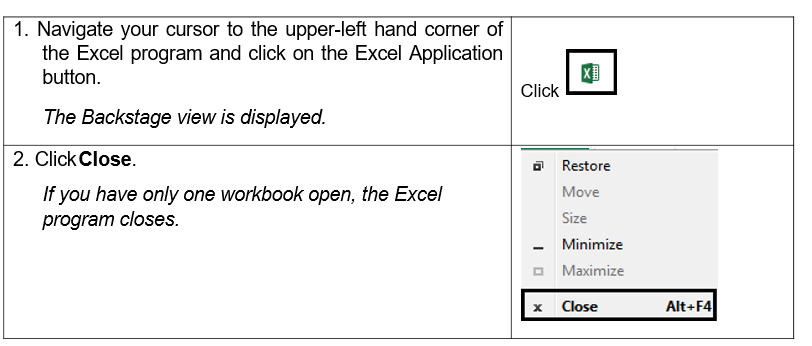
· Double-click the Excel Application icon in the top left
corner of the Excel 2013
program
window.
Be sure to save your changes before exiting the workbook you’ve been working on. If you attempt to leave the workbook without saving it, an alert box appears in Excel warning you that your changes will not be saved. To save these changes before exiting click the Save button. If you don’t want to save your changes click Don’t Save.
Steps
To exit Excel: