EXPLORING POWERPOINT
1. WORK WITH POWERPOINT
1.2. USE THE QUICK ACCESS TOOLBAR
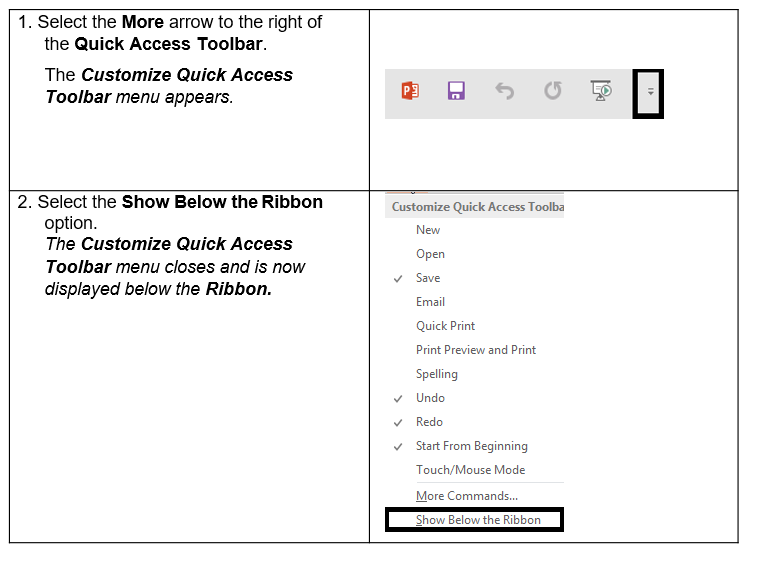
This customizable toolbar allows you to add frequently used commands. You can click on the down arrow at the end of the toolbar to display the available options.
Tip: It is possible to minimize the ribbon by double-clicking on any tab in PowerPoint. To maximize the ribbon, repeat the steps by double-clicking a tab.