EXPLORING ACCESS
1. WORKING WITH ACCESS
1.7. USING THE NAVIGATION PANE
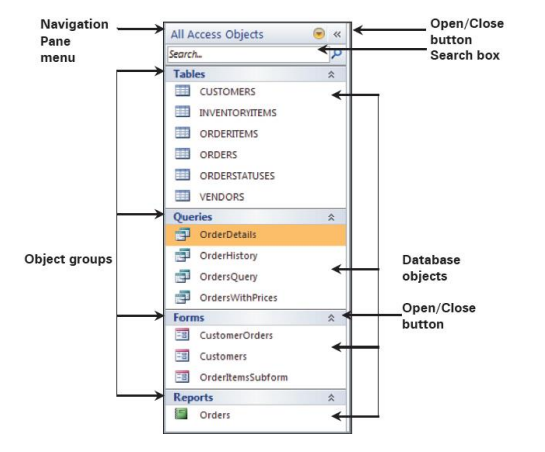
Navigation Pane is located on the left side of the Access window and helps you to
work with database objects. Navigation Pane is organized by categories and
groups. You can customize the categories and groups of objects in the Navigation
Pane. You can select specific objects from the Navigation Pane.
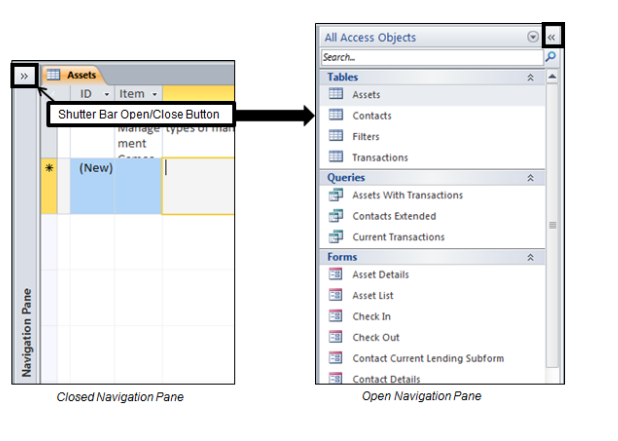
You can change the width of the Navigation Pane by positioning the pointer over
the right edge of the Navigation Pane. You can also hide or open the Navigation
Pane by clicking the Shutter Bar Open/Close button.
Steps
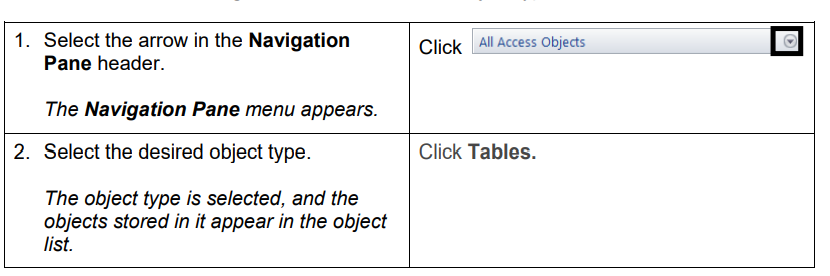
To use the Navigation Pane to select an object type: