2.2 COMPUTER CARE AND SAFETY
| Site: | UNITE LMS |
| Course: | COMPUTER BASIC SKILLS |
| Book: | 2.2 COMPUTER CARE AND SAFETY |
| Printed by: | Guest user |
| Date: | Thursday, 23 July 2026, 1:02 AM |
Description
Click on the link above to access the notes provided on Computer Care and Safety
Dear student Under this Module we shall cover the following Topics;
- The Computer Laboratory Rules and Regulations.
- Management of Computers and their Environments
- Maintenance of Computers in Good Working Conditions.
- The Ethics and Integrity In Computer Use
1. THE COMPUTER LABORATORY RULES AND REGULATIONS
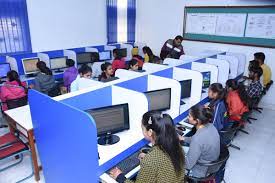 a. Computer components should be kept dust-free. Avoid smoking and exposing
computers to dust.
b. Never try to remove the cover on your computer or touch it inside the system unit. There are many sensitive components. Instead, take it to a qualified technician.
c. Keep all liquids and food items away from your computer, Liquids and food crumbs can cause rusting and corrosion and damage electronic circuits. Also, mixing liquids and electronic components can cause serious electrical shock!
d. Never use your computer during a storm. The computer is connected to electricity and that means that lightning could be conducted to the computer.
e. Physically, be careful, avoid knocking and dropping any hardware to the ground as this could cause any of the delicate components to break or be damaged and stop working.
f. Be careful when using the internet. Do not accept downloads from Internet sites
that you don't know and trust, And never open an email attachment unless you
know and trust the person who sent it.
g. Avoid making hardware connections to the motherboard when the computer is on e.g. keyboard, monitor, and mouse connections.
h. Don’t bring magnetic devices to the lab. The computer has magnetic disks which can be spoilt if they come near other magnetic fields.
i. Handle delicate storage devices with care. Don’t touch the inner surface of Compact disks and Floppy disks. Safely remove Flash disks from the system.
j. Avoid excessively bright and flickering computer monitors. The brightness of the computer monitors should be adjusted to avoid eye strain.
k. Always sit upright to avoid muscle pains and back aches caused by poor sitting
posture.
l. Proper shutdown of computers should be followed to avoid disk and system
failure (avoid abrupt switching off).
1.1. Management of Computers and their Environment
After the establishment of the computer laboratory, a number of precautions should be observed to provide a safe conducive environment for teaching and learning as seen below:
a. Avoid direct sunlight and high temperatures that may damage hardware components.
b. Always use surge protectors, Uninterruptible Power supply (UPS), or voltage stabilizers to ensure a steady power supply to safeguard their system.
c. Protection against fires. A computer room should have fire extinguishers of carbon dioxide but not water or powder.
d. Proper cable installation and placement. Cables should be preferably along walls, avoiding the danger of exposing the use to electric shock
e. Burglar proofing to avoid unauthorized access to the computer room.
f. Fit strong locks, doors, windows, and roofing. Security should be good around the computer room to avoid thefts.
g. Overcrowding of either machines or people should be avoided.
h. Always install lightning conductors in the computer laboratory to protect the machines and the users of the computers. Ventilation should be good. Good aeration enables the computer to cool and hence avoids overheating
i. Minimize Electrical noise/interferences in the computer environment. Definition: ELECTRICAL NOISE refers to externally radiated signals or electrical that cause undesirable additions to the current voltage. Electrical noise is commonly generated by devices like Fluorescent lights of high frequency, Motors, Battery Chargers, Inverters, Radios, television, and Cell phones.
(i) Dust control. When setting up the computer laboratory, consider a location away from excessive dust. The room should have special curtains and computers should remain covered using dust covers when not in use.
(ii) Dump Control: Humidity must be regulated in the computer laboratory to remain at an optimum 50%. Low humidity may cause static electricity to build and damage sensitive components. High Humidity of over 70% may cause rusting of the metallic parts of the computer system.
(iii) A computer room should have enough light to avoid eyestrain and headaches.
(iv) Radiation filter screens should be fitted to reduce the light that reaches the eye.
(v) Standard furniture: The table on which a computer is placed must be strong and wide enough to bear the weight and accommodate all the peripheral devices
2. Maintenance of Computers In Good Working Conditions
Computer Maintenance is the testing and cleaning of equipment.
The following measures should always be carried out to keep computers in good working conditions:
- Regular servicing should be done for hardware and software updates to ensure proper working conditions of the computers
- Computers require special cleaning even on the outside including hardware parts such as the mouse and keyboard to perform correctly.
- Always use optimizer utilities that modify programs to make computers improve performance and make them run more quickly.
- Always use and regularly updated antivirus software. Viruses and worms are horrible computer-unfriendly programs that can crash your system and cause damage.
- Avoid Installation Marathons. Sometimes; installing a new program can cause conflicts within your system. It is therefore advisable to use the computer long enough to see how your system responds to the installation before installing the next program.
- Carry out Disk Defragmentation when necessary.
- A computer is a storehouse for large amounts of data and so, having a disorganized
- computer slows down the processing time. Defragmentation organizes files in a way where the computer can easily access everything.
- Definition: Disk Defragmentation is the process in which scattered pieces of individual files and free space are reorganized and stored in an adjacent manner (next to each other) on the disk.
watch this video to learn Tips on maintaining and caring for computers
2.1. The Ethics and Integrity In Computer Use
Computer Ethics Computer Ethics are human values and moral conduct for computer users. OR
Computer Ethics refers to the right or wrong behavior exercised when using computers.
Computer Integrity refers to the loyalty or faithfulness to a principled set of laws
regarding computer use. In 1991, the Computer Ethics Institute (CEI) held its first National Computer Ethics Conference in Washington, D.C. The Ten Commandments of Computer Ethics were first presented in Dr. Ramon C. Barquin's paper prepared for the conference
TEN COMMANDMENTS FOR COMPUTER ETHICS
The Computer Ethics Institute published them as follows in 1992:
1. Thou Shalt Not Use a Computer to Harm Other People.
2. Thou Shalt Not Interfere with Other People's Computer Work.
3. Thou Shalt Not Snoop around in Other People's Computer Files.
4. Thou Shalt Not Use a Computer to Steal.
5. Thou Shalt Not Use a Computer to Bear False Witnesses.
6. Thou Shalt Not Copy or Use Proprietary Software for Which You Have Not Paid.
7. Thou Shalt Not Use Other People's Computer Resources without Authorization or Proper Compensation.
8. Thou Shalt Not Appropriate Other People's Intellectual Output.
9. Thou Shalt Think about the Social Consequences of the Program You Are Writing or the System You Are Designing.
10. Thou Shalt Always Use a Computer in Ways That Insure Consideration and Respect for Your Fellow Humans.