1.4 INTRODUCTION TO COMPUTERS
| Site: | UNITE LMS |
| Course: | COMPUTER BASIC SKILLS |
| Book: | 1.4 INTRODUCTION TO COMPUTERS |
| Printed by: | Guest user |
| Date: | Thursday, 23 July 2026, 1:02 AM |
Description
Click on the link above to access Reading Materials on "Introduction to Computers"
This Module will expose you to Terminologies and basic concepts of a computer and why we do computer studies as a subject.? This module has two units
- Computers Today
- Functions and Uses of computers
Table of contents
- 1. UNIT ONE: COMPUTERS TODAY
- 2. UNIT TWO: USES AND FUNCTIONS OF COMPUTERS
- 2.1. USES OF COMPUTERS IN THE AREA OF RESEARCH
- 2.2. USES OF COMPUTERS IN THE AREA OF BUSINESS
- 2.3. USES OF COMPUTERS IN THE AREA OF HEALTH
- 2.4. USES OF COMPUTERS IN THE AREA OF COMMUNICATION
- 2.5. USES OF COMPUTERS IN THE AREA OF SECURITY/MILITARY
- 2.6. USES OF COMPUTERS AT HOME
- 2.7. USES OF COMPUTERS IN THE AREA OF ENTERTAINMENT / LEISURE
- 2.8. USES OF COMPUTERS IN Offices
- 2.9. USES OF COMPUTERS IN THE AREA OF TRANSPORT
- 2.10. DEMERITS OF USING COMPUTERS IN SOCIETY
1. UNIT ONE: COMPUTERS TODAY
UNIT INTRODUCTION
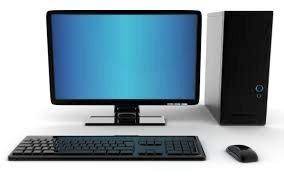 Computers are necessary in today's society. We live in a fast-moving world where almost everything must come to us instantly. Many times, we depend on the computer to help us complete tasks, and to solve problems. The digital age has affected all of our lives and today's society is no longer able to function without computer technology. Therefore, we can say computers are vital in today's society as they make life much easier for everyone.
1.1. A) DEFINITION AND CHARACTERISTICS OF MODERN COMPUTERS
WHAT IS A COMPUTER?
A computer is an electronic device that accepts user input (data), and processes it under special instructions (programs), to produce the desired meaningful output (information). Alternatively, a computer can be defined as a programmable machine that receives input, stores and manipulates data, and provides output in a useful format.
MAIN CHARACTERISTICS OF MODERN COMPUTERS
There are seven common characteristics associated with modern computers, these
include;
Speed Computers operate at extremely high speeds. Their speed is measured in millions of instructions per second (MIPS).
Automatic (Spontaneous) the computers are automatic. They do not need any supervision in order to do tasks when instructed.
Accuracy Computers are very accurate. The errors in made computing are due to the users but not technological weakness. If a user enters the wrong data, the computer gives the wrong Information. This trend is described as GIGO (Garbage In, Garbage Out)
Versatility: Modern Computers can perform different kinds of tasks at the same time. For example, you can play music while typing a document at the same time. This is also known as multitasking.
Diligence (Endurance) Computers have the ability to perform the same task for a long time without getting tired. This is because a computer is a machine, and so does not have human behaviors of tiredness and lack of concentration. For example, Computers are used for controlling satellites.
Artificial intelligence: Computers are artificially intelligent i.e. They can be programmed to assume capabilities such as learning, reasoning, adaptation, and self-correction. For example, computers can respond as if they were thinking by playing chess and recognizing handwriting and speech. However, the computers themselves cannot think. Artificial intelligence is only supported by the power of the programs installed in them.
Storage: For a computer to be able to work, it must have some form of the workspace where data is stored before being processed. All information is stored on a hard disk or in the Random Access Memory (RAM).
Communication: Most computers today have the capability of communicating with other computers. We can connect two or more computers by a communication device such as a modem. These computers can share data, instructions, and information. When two or more computers are connected, they form a network.
Adaptability: Modern Computers can be adapted to comply with different settings and environments. For example, they can be used as personal computers, for home use, banking, communication, entertainment, weather forecasting, space explorations, teaching, railways, medicine, etc.
Need User input: Computers cannot initiate themselves and make decisions. They need instructions from users to enhance the process. After all, a computer is only a machine.
Reduction of cost: Computers are a short-term investment in order to achieve long-term gain. Though the investment is high, they reduce the cost in the long run. They reduce manpower and lead to a neat and efficient way of solving various tasks.
1.2. B) TERMINOLOGIES AND BASIC CONCEPTS
There are many terminologies used in the field of computing. Below are some of the
basic ones:
Data
This refers to the raw facts and figures, which are entered into the computer by the user in a form suitable for processing.
Data may consist of characters, symbols, sounds and graphics, videos etc.
Information
It refers to the processed data that makes meaning and is useful. For example the figure
10082006 may be input as data, but once this same figure is converted to the format 10/08/2006, you realize that it’s a date.
Information and communication Technology (ICT)
This term combines three items i.e. [information, communication, and technology]
Communication in this regard refers to the electronic transfer of data from one point to another. Technology refers to the technique and way of doing something.
Information and Communication Technology (ICT) refers to the broad range of
hardware, software, network infrastructure and media that enable the processing,
storage and sharing of information among humans and computers, locally and globally” ICT devices range from radio, television, cellular phones, compact disks, Fax machines, computers, biometric devices, internet and network hardware and software platforms, satellite systems and so on. It involves to all means which facilitate information or data capture processing storage and output.
Data entry
It is the act of in putting data into the computer. This is done by the help of input
devices like keyboard, mouse etc.
Byte
A byte is a unit of computer memory or digital information that consists of eight binary digits (bits).
NB. 1 byte stores 1 character.
Binary
The number system used to represent digital information in computers where data is expressed by combinations of the digits 0 and 1, corresponding to power states "off" and "on" respectively.
RAM (Random Access Memory) refers to computer working memory that acts as a
temporally store for data and instructions during processing.
1.3. C) WHY DO WE DO COMPUTER STUDIES AS A SUBJECT?
To promote creative knowledge for problem solving: Computing develops a
sense of deeper imagination, to create practical hands-on solutions for problem
solving.
2. To get jobs in future: Computing offers a wide range of highly rewarding careers.
Also, computer studies provide a foundation that serves as a competitive
advantage in other careers, in whatever field one chooses.
Examples of such computing careers include: Typists, IT Tutors, Computer
operators, Computer technicians, System analysts, Computer programmers,
Software engineers, Computer engineers, Database administrators, webmasters,
Graphic designers, etc.
3. To promote critical and analytical thinking: Computing drives innovation in the
sciences such as vaccine research, environmental protection, business,
entertainment and education. Through computer studies, one can make a
positive difference in the world.
4. To create awareness in a learner about the developments and emerging issues
concerning computing and society: Computing is one of those highly evolving
fields where it is almost impossible to predict what will happen in the future.
5. To acquire skills in the use of IT for enhanced productivity and development:
This is because the dimensions of computing are part of the necessary skills set
for an educated person in the 21st century.
6. To empower a learner as a computer literate and capable citizen who can
develop, communicate and handle ICT challenges.
2. UNIT TWO: USES AND FUNCTIONS OF COMPUTERS
UNIT INTRODUCTION
Computers have always assisted to solve the problems faced by mankind. Although the word ‘computer’ means ‘something which adds, counts, estimates or calculates’, a computer today is not merely a “calculator”. Computers perform a vast variety of jobs with tremendous speed and efficiency. Today people use computers in almost every walk of life. However, along with these advancements in science there arises the dilemma of the development of technology as it affects human individuals. They have come with both positive and negative impacts on our society.
Computers are applied in the areas of;
- Education
- Research
- Business
- Health
- Communication
- Military/security
- Home
- Entertainment / Leisure
- Astronomy and
- Transport
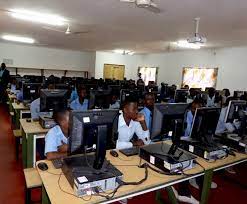 a. In teaching, we use Computer Assisted Instruction (CAI) by use of Interactive
whiteboards, and projectors, in class.
b. Computer Aided Learning (CAL) gives access to On-screen learning materials.
Students learn at their own pace and can repeat a lesson they didn’t understand.
c. Computer Aided Assessment (CAA) helps teachers to reduce the time and
labor to mark students’ books and answer scripts.
d. Error-free School Timetables can be generated using special timetable computer
software.
e. With Use of School Administration and Management Systems. (SAMS) Records
management is made easier because all details of learners can be held on
a computer, and easily retrieved, reducing administrative costs.
f. Students’ Progressive Report Cards can be produced electronically by use of
computers instead of handwritten ones.
g. Distance learning through computer-based training. People get awards such as
degrees without going to class.
h. Teachers use simulation software to perform difficult or dangerous experiments in class.
i. Use of special facilities for students with disabilities like text-to-speech and speech
recognition to help blind students.
j. Interactive Multimedia packages on DVDs can clearly demonstrate and explain
abstract concepts.
k. Schools use computers to create school websites for sharing information with the
public.
l. Productivity tools like desktop publishing and presentation software are used in
projects and other school activities.
m. Computers are used for calculating mathematical arithmetic by students and
teachers in class.
n. Digital computers are also used for telling and managing time in schools.
2.1. USES OF COMPUTERS IN THE AREA OF RESEARCH
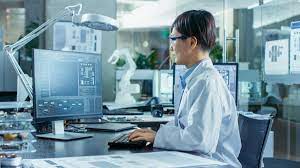 a. They have made searching the literature and references easier through the use of
electronic databases on the World Wide Web. For example, an online encyclopedia
such as Wikipedia has over 15 times as many words as compared to any printed
Encyclopedia and dictionaries.
b. Computers have tools such as Spell checking, cut-and-paste, etc., which make
compiling and editing research work easier.
c. A lot of statistical software is available for performing calculations and analyzing the collected research data.
d. Data Storage: The data obtained from the research is easily stored in softcopies on computers as word documents or excel spreadsheets.
e. Research publishing: The research work can be converted into Portable Document
Format (PDF) and published to the World Wide Web.
2.2. USES OF COMPUTERS IN THE AREA OF BUSINESS
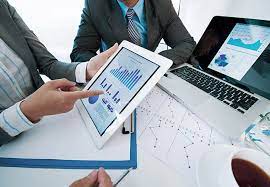 a. Computers enable people to Work from home, using a computer connected to the employer's network or via the Internet. This is known as Telecommuting.
b. Computers have created more jobs such as Computer technicians, Computer
teachers, etc.
c. Buying and selling Computers and their components is a source of income to
individuals, and companies.
d. Through, Computer-Aided Design (CAD), scale drawings, and excellent designs
can be created easily.
e. Computers are used for sending and receiving Mobile Money and making world-
wide money transfers.
 f. Banks use Computers to manage transactions and Automatic Teller Machines
ATMs for 24 hours banking.
g. Computers help in Business Advertisement through creating websites, internet,
flyers, brochures, and billboards.
h. Computers are used in the typesetting business for the production of document printouts
and publication of Books for sale.
i. Through Computer Aided Manufacture (CAM), computers can be used to control
the production of goods in factories.
j. Computers are used for E-Commerce: the sale of goods and services over the
internet.
2.3. USES OF COMPUTERS IN THE AREA OF HEALTH
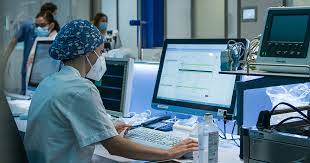 a. Hospitals use computers for managing and storing Records electronically,
rather than paper files.
b. Hospital Administration is also aided by printing labels, allocating beds, make
appointments, staff rotas, etc.
c. Internet helps us get Web sites for information on health care, treatments,
conditions, etc.
d. Monitoring/Diagnosis such as Heart rate, blood pressure, etc. is aided by
Computer Expert systems.
e. Medical Training is facilitated by Simulation software and on-line data sources.
2.4. USES OF COMPUTERS IN THE AREA OF COMMUNICATION
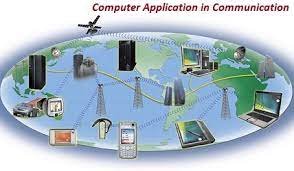 a. E-mail: Electronic Mail sent from one person to another using connected
computers helps a lot in the area of communication.
b. Video Conferencing enables people in different locations to conduct meetings as if they are in the same location.
c. Computers are used for Faxing: Sending an image of a document electronically.
d. Computers enable people to send voice, image, text, and data through telephones and mobile cell phones.
e. Social Networks such as Facebook, and Twitter enable people to stay in touch with their relatives, friends, and interests.
2.5. USES OF COMPUTERS IN THE AREA OF SECURITY/MILITARY
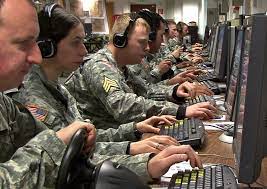 a. Computers aid monitoring security through cameras, Automatic number plate
recognition, etc.
b. Communication systems are widely used in the military to coordinate the
personnel.
c. Some computer systems can detect temperatures and alarm in case of danger of
fire outbreaks.
d. Computers are used for capturing data for Police National Computer Databases –vehicle number plates, criminals' fingerprints, etc.
e. Computers are used to detect the presence of illegal devices such as bombs.
f. Computers are also used for controlling dangerous weapons such as missiles.
2.6. USES OF COMPUTERS AT HOME
 a. Computers are used for doing School Assignments (Home Work)
b. Computers are used for Managing household finances
c. Computers are used for Accomplishing Work-related tasks
d. Computers are used to access the Internet for Email/news/information.
e. Computers are used for playback of Digital Media such as Video/Music/Family
Pictures at home
f. Programs for Children such as Computer Games at home
2.7. USES OF COMPUTERS IN THE AREA OF ENTERTAINMENT / LEISURE
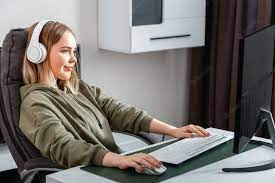 a. Computers introduced a completely new type of entertainment like Computer
games.
b. Computers are also used in Cinema halls and podiums for faster instant audio
and video playback and presentation through projectors.
c. Computers are used in the entertainment industry to produce Music, Video
Editing, CD burning, etc.
d. Computers are used for instant audio playback functions such as parties.
2.8. USES OF COMPUTERS IN Offices
 a. Computers are used for the preparation of documents and printing.
b. Computers are used for record-keeping and storage of information.
c. Computers facilitate communication through the use of internet services like e-mail.
d. Computers are used for scheduling office activities and managing routines
USES OF COMPUTERS IN THE AREA OF ASTRONOMY.
a) Astronomy is the study of the sun, moon, stars, planets, and other objects and phenomena in space. Computers can offer great help to astronomy which includes; b) Computers are responsible for the rockets
c) Computers are essential tools to study the behavior of the complex systems in space as regards to their movements, interactions, etc.
d) Good mathematical models and powerful computers can help predict the evolution of stars, planets, galaxies, etc. computers can be used to simulate and predict processes.
e) Computers perform Telescope pointing and tracking (including error correction), Camera operation, image download and storage, Image reduction (the measurement of the image), and Data processing.
2.9. USES OF COMPUTERS IN THE AREA OF TRANSPORT
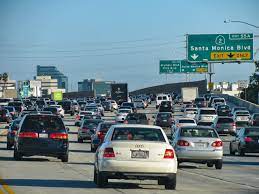 a. Monitoring highway traffic.
b. Computers are used to tell the schedules of water vessels, trains, and buses to their respective stations. You only need to use your PDA device or cell phone and check it out.
c. Computers are used very extensively in the design of roads. Roadways and bridges are designed using software programs like CAD etc.
d. Coordinate timing of street traffic lights to traffic conditions.
e. Providing current traffic alerts/emergency calls/etc.
f. Computer systems are installed in transportation vessels for security.
g. Manage cargo at airports.
h. Data manipulation at transportation centers such as Airports, and car parks among others.
2.10. DEMERITS OF USING COMPUTERS IN SOCIETY
 For those who spend many hours in front of the computer, there is a risk of addiction.
Many people don't care about anything except computers.
For those who spend many hours in front of the computer, there is a risk of addiction.
Many people don't care about anything except computers.- Eye strain: Using a computer for many hours during a day can be very harmful to the eyes.
- Our creativity, skills, and reasoning can decrease when we are too dependent on the computer. For instance, with email replacing the hand-written letter, onscreen art designing instead of hand drawing art, etc.
- The computer can destroy the culture of a certain group of people in society, especially youths.
- In spite of continuously reducing prices, computers are still costly because the initial cost and maintenance costs of a computer are very expensive.
- The use of computers requires additional efforts in form of learning to use computers and their programs.
- There is dehumanizing of people. Excessive use of computer for communication with others threatens to reduce the intensity of personal bond that often develops between people. For instance, by making telephone calls.
- Computers have led to unemployment of people such as Tellers, shop workers, and postal workers; since many manual/repetitive jobs have been replaced by computers like ATMs
- Electronic fraud: Stealing money electronically through practices like Credit card cloning
- Impact on Environment: Computer manufacturing processes and computer waste are depleting natural resources and polluting the environment
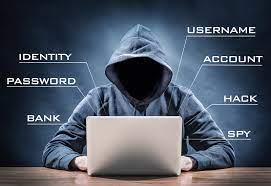
- Hacking: Unauthorized access to computers possibly to access information, compromising privacy. e.g. Wikileaks
- Software Piracy: Stealing software, not paying for licenses through cracking.
- Presence of Viruses: You may lose all your programs, files, documents folders, and other data on your computer because of a virus infection on the computer.
- Moral Decay: The internet has websites with content such as pornography, which have a bad impact on users, especially young children.
- Computers are delicate and they must be given great care.