EXPLORING POWERPOINT
Completion requirements
1. WORK WITH POWERPOINT
1.5. EXIT POWERPOINT
When you’re ready to quit PowerPoint, you have several choices for shutting down the program:
- Click the Close button (the X) in the upper-right corner of the PowerPoint 2013 program window.
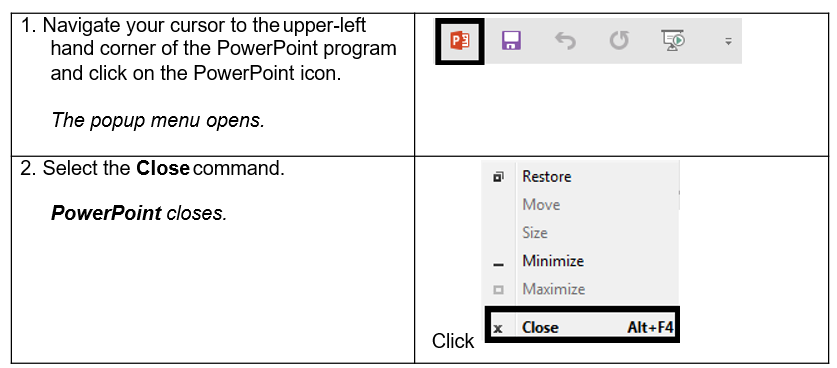
- Click the PowerPoint Application icon in the top left corner of the PowerPoint 2013 program window and click Close.
- Press Alt+F4.
Steps
To exit PowerPoint: