EXPLORING ACCESS
Completion requirements
1. WORKING WITH ACCESS
1.8. OPENING A DATABASE OBJECT
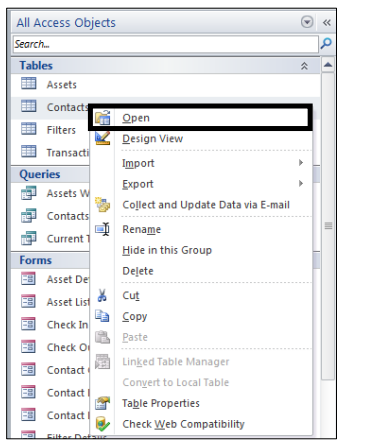
You can use any object in the Navigation Pane by double-clicking it. If you
right-click an object, you notice a shortcut menu that lets you do various actions,
such as opening an object in the design view.
Steps
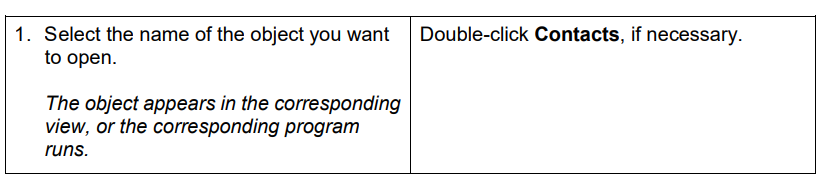
To open a database object:
If necessary, display the Tables object list in the Navigation Pane
Click the Close button on the Contacts table window title bar to close the
Contacts table