EXPLORING ACCESS
Completion requirements
1. WORKING WITH ACCESS
1.13. SWITCHING BETWEEN THE VIEW MODES
As you continue working with Access, you will find yourself switching between the Design view and the Datasheet view.
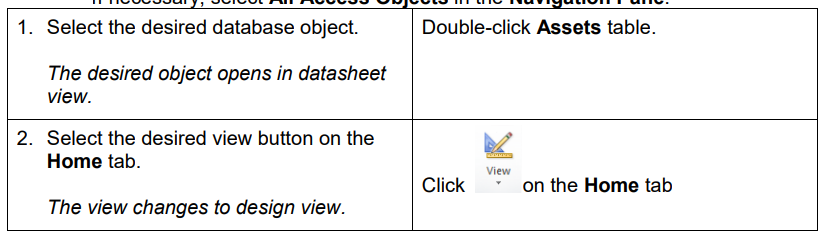
Click the View button on the Home tab to switch to the Design view of a table,
query, form, or report.

Click the View icon to return to Datasheet view (in tables and queries).

Steps
To switch between views:
If necessary, select All Access Objects in the Navigation Pane.

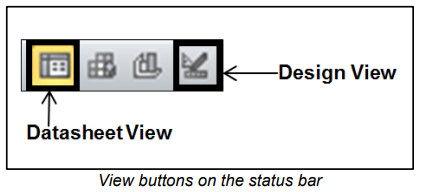
You can also use the status bar to switch between different views.