EXPLORING ACCESS
Completion requirements
1. WORKING WITH ACCESS
1.14. USING THE OPTIONS DIALOG BOX
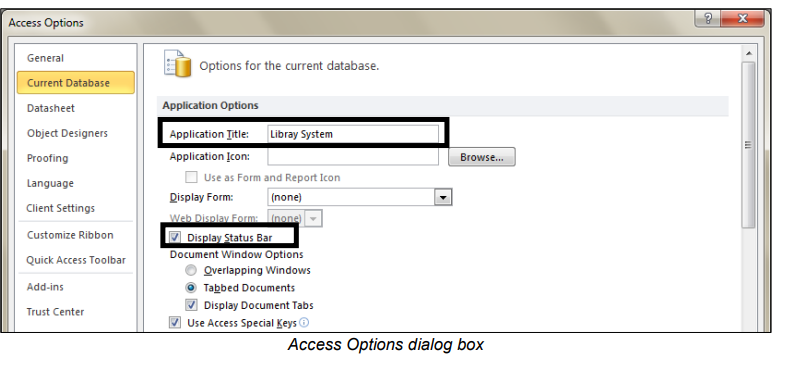
Access allows you to configure several things on database start-up. For instance,
you can hide the Navigation Pane, launch a splash screen or a switchboard form,
set an Application Title, set an Application Icon, and several other things.
These settings can be set using the Access Options dialog box.
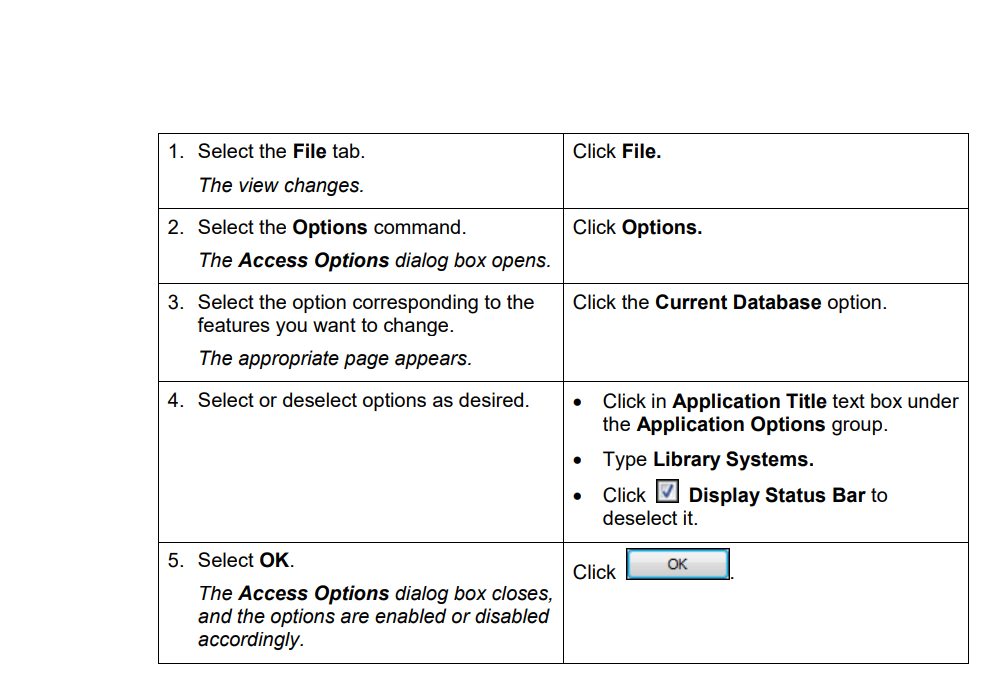
Steps
To use the Access Options dialog box: